Collection Teleporter: a Blender addon for scenes that got too big
Collection Teleporter is a Blender addon I made to move collections between .blend files without breaking the way I like to work.
The basic idea is simple: build in context, dispatch when ready, edit in place.
I can export any local collection into a source file when I want to separate it. If a collection is already linked, I can open its source scene, reload its library, or make it editable in place without manually hunting through folders.
I built it because my personal Blender scenes kept reaching that annoying point where everything was still useful in context, but the file itself was getting too heavy and messy to stay comfortable.
Quick Demo
The short demo shows the basic loop: send a collection out, keep it linked in the scene, then edit it in place when it needs to change.
Menu And Shortcut
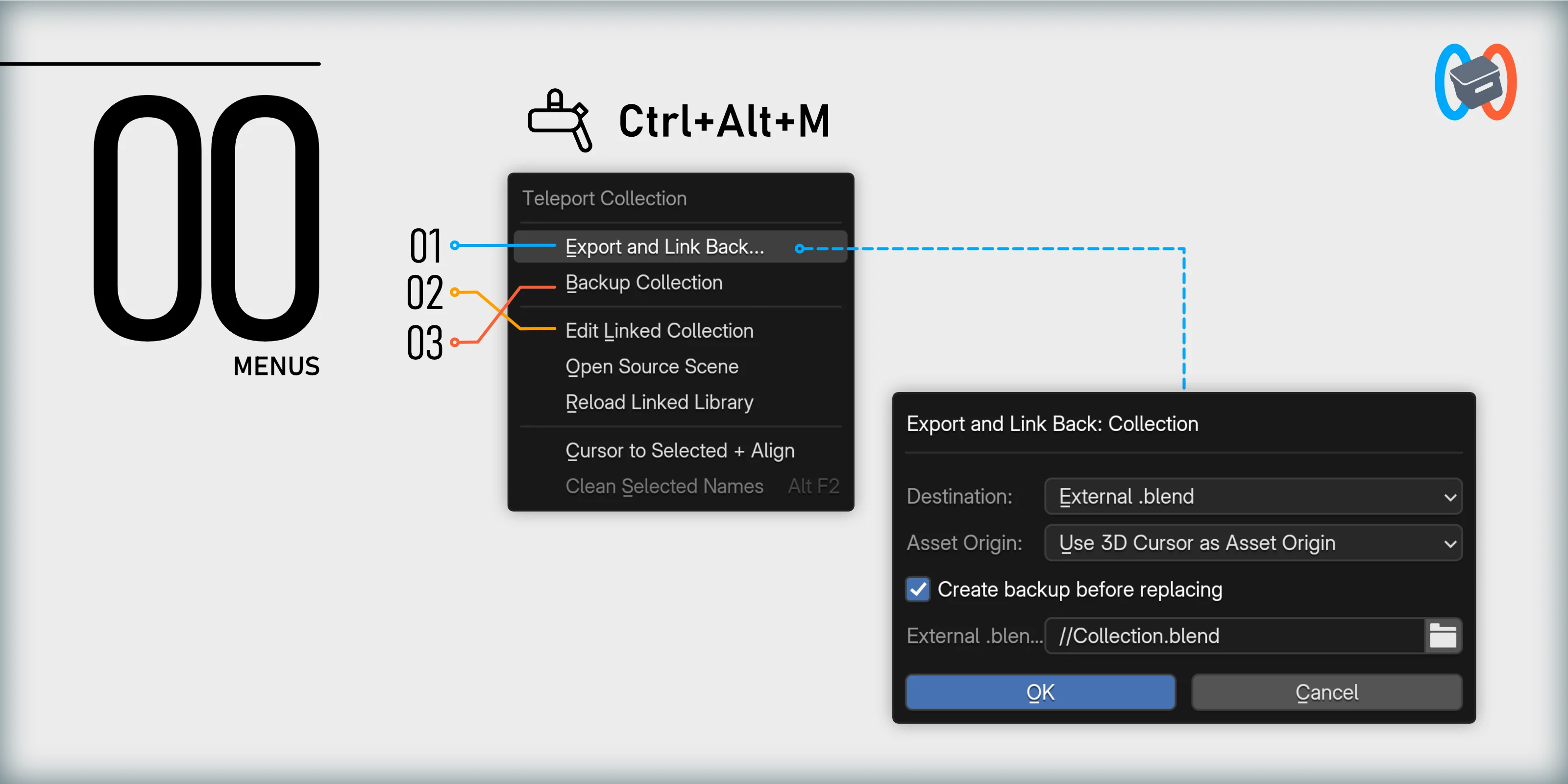
Collection Teleporter lives in the viewport context menu, with the main menu available through Ctrl+Alt+M.
Export And Link Back
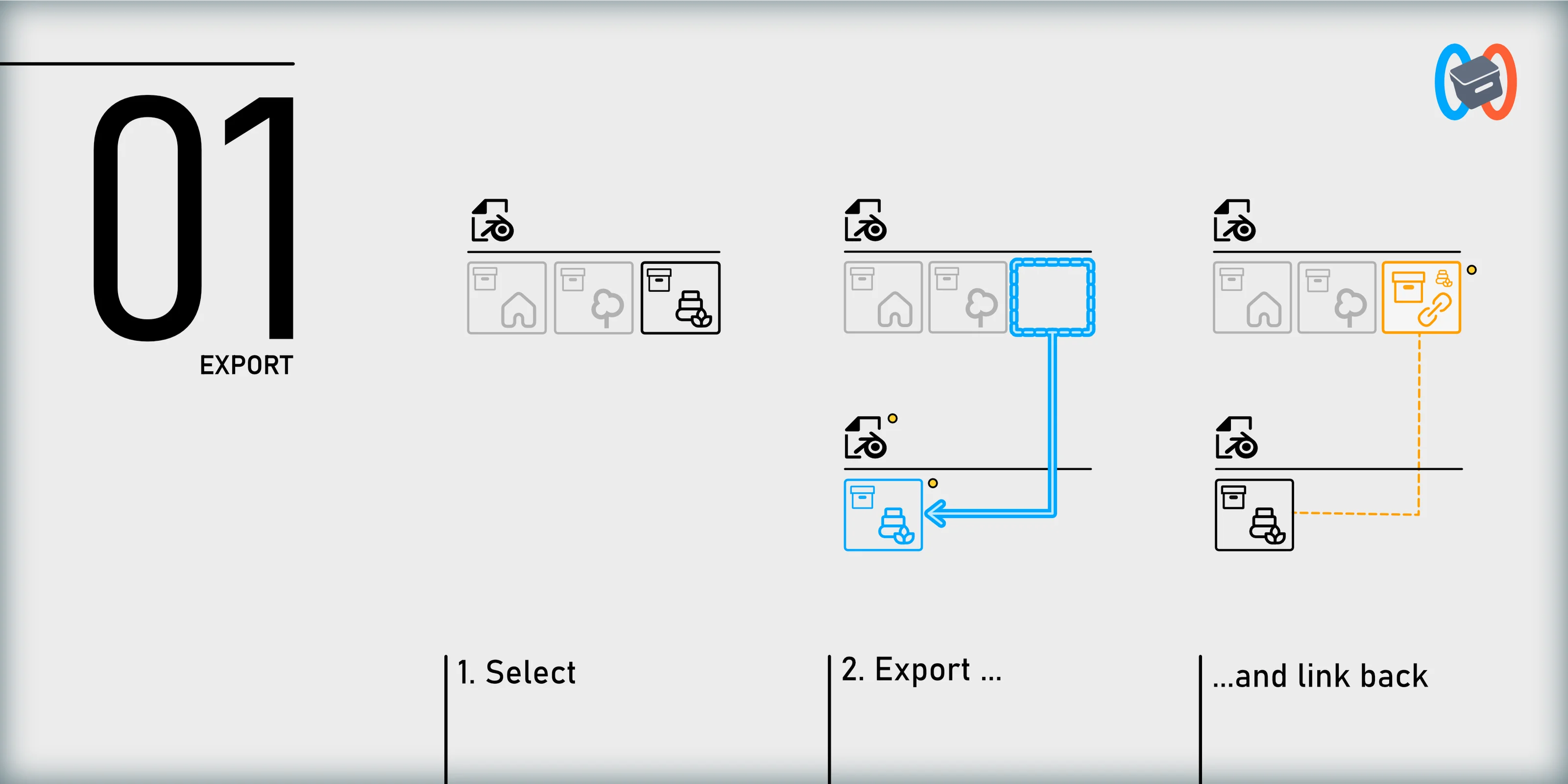
The main command is Export and Link Back. You pick a collection, choose a destination, and Collection Teleporter writes it into an external .blend file.
In the original scene, the local collection is replaced by a linked instance at the same position. The scene still looks the same. The difference is that this part of the project now lives in its own source file.
Edit Linked Collections In Place
Linked collections are great until you need to change them.
Normally, that means opening the source file, guessing the context, making the edit, saving, going back to the main scene, and checking if it still works.
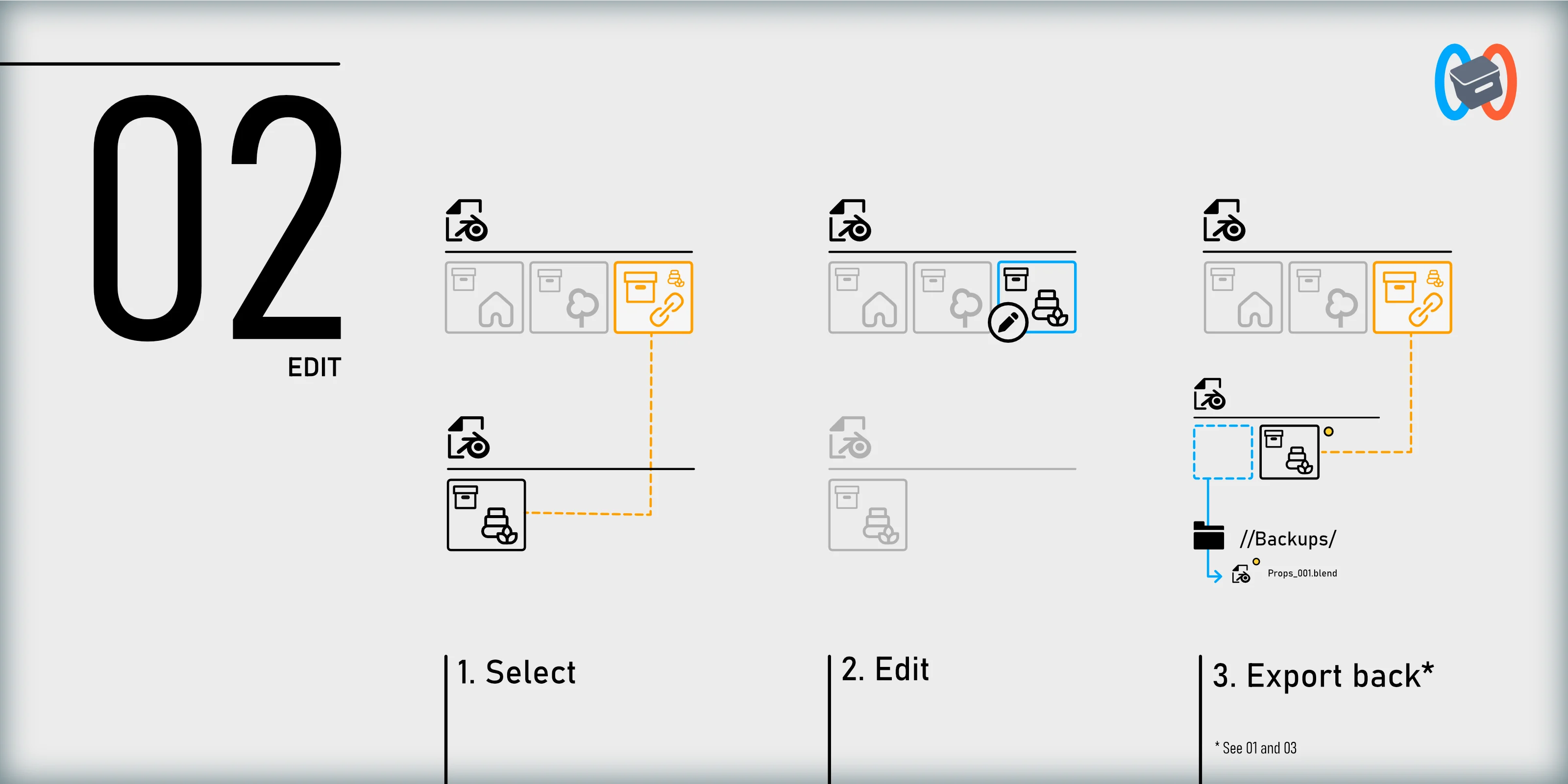
Collection Teleporter gives you a shorter path. Edit Linked Collection makes the selected linked asset editable directly in the current scene. When the edit is done, Export and Link Back sends it back to its source and restores the linked version in place.
That is where the addon starts to feel useful. I can keep the asset external without treating every small change like a pipeline task.
Backups At Collection Scale
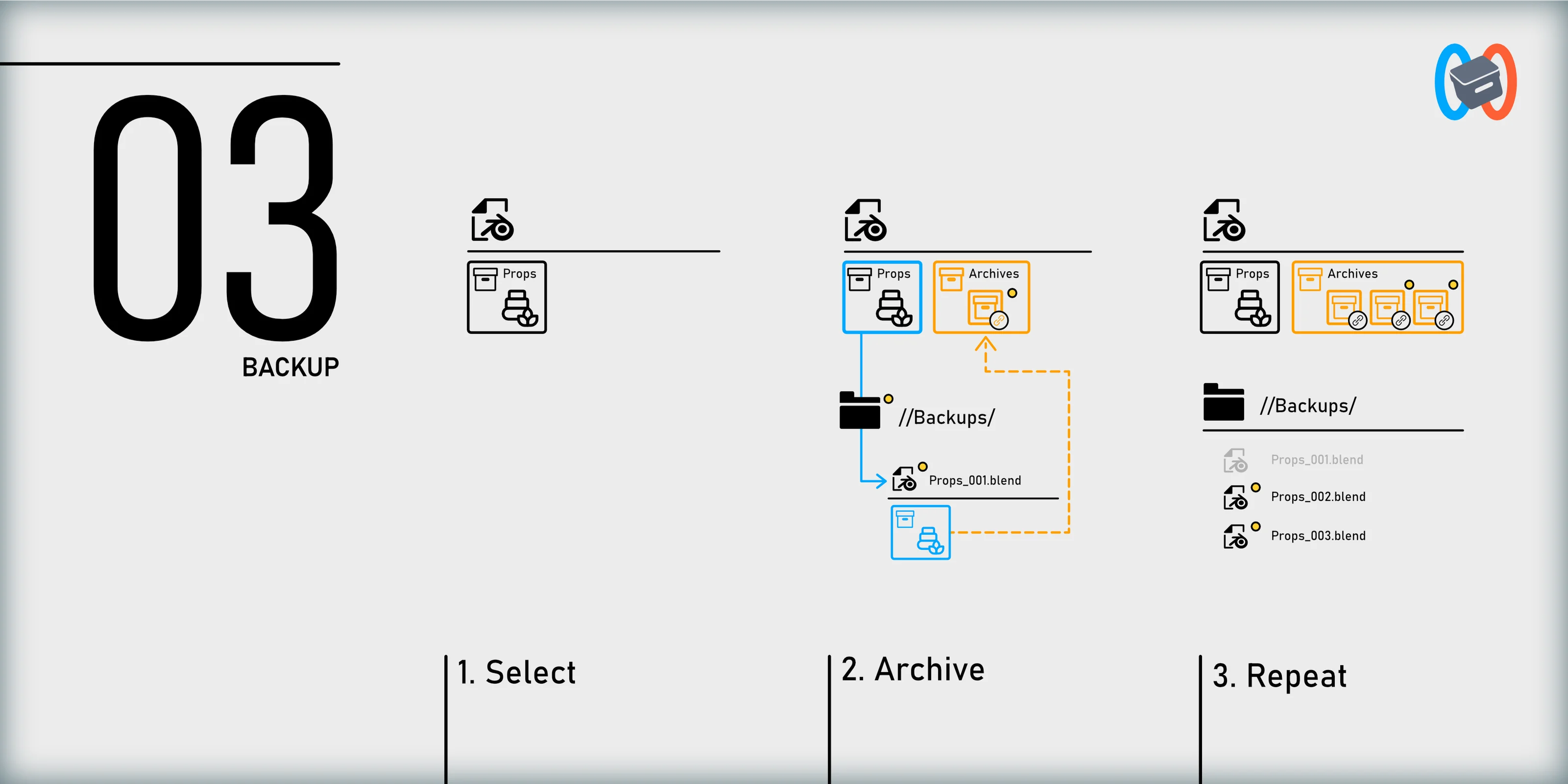
When Export and Link Back replaces an existing collection in a source file, Collection Teleporter creates a backup first by default.
There is also a manual Backup Collection command. It works on any collection, even outside the full linkback workflow.
That means I can keep versions while modeling without incrementing the whole Blender file every time. The snapshot happens at collection scale, so I can save the asset I am working on without turning the folder into scene_v12_final_really_final.blend.
Small Workflow Helpers
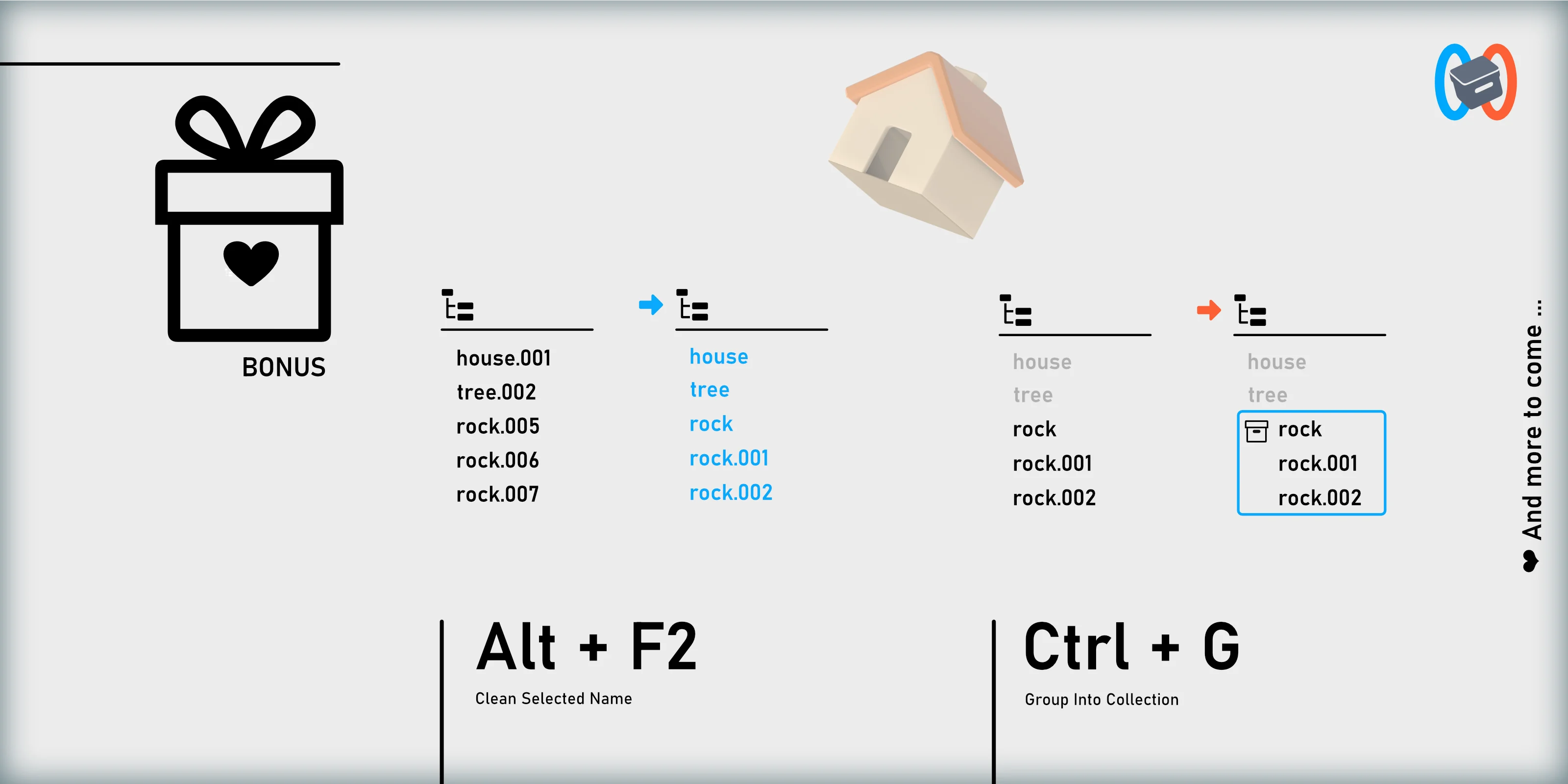
I also added a few small helpers around the main workflow.
- Create New Collection from Selection lets me select objects and turn them into a real scene collection with
Ctrl+G. - Clean Selected Names removes Blender’s
.001suffixes from selected objects and can rename single-user meshes to match their objects.
Not the headline feature, but exactly the kind of thing I wanted close to the same menu.
Visual Direction And Motion Design
Collection Teleporter is a fairly abstract tool. It moves collections between Blender files, keeps linked instances in place, and lets you edit them later. That is not the easiest thing to communicate with one screenshot.
So I used the launch as an excuse to work on the presentation too: graphic design, small motion pieces, cleaner diagrams, and a visual language that makes the workflow easier to understand.
The point was simple: make a technical workflow easier to read, and a little more fun to look at.
Availability
Collection Teleporter is available on SuperHive for Blender 5.1 and newer. It costs $24.
I built it for my own Blender scenes first, especially for personal game projects like Bordeciel and Ashenmoor.
If your Blender files also start clean and slowly turn into one giant source scene, it might be your kind of tool too.